How to Set Up Online Booking for Your Rental Business in a Day
Most rental business owners assume setting up online booking is a big project. Something that requires a developer, a few weeks of back and forth, and a budget they don't have right now.
It isn't. And it doesn't.
We've watched rental business owners go from taking bookings over text message to having a fully live, professional online booking system in a single afternoon. Not because they had a technical background or a big team — but because they had the right tool and a clear process to follow.
This is that process.
Before You Start: What You Actually Need
No developers. No design experience. No separate website subscription.
Here's what you do need:
- Your rental inventory list — what you rent, how many of each, and your pricing
- A phone or laptop
- About two to three hours of focused time
That's it. Everything else is handled by the platform.
Step 1: Sign Up on getrenta.io
Go to getrenta.io and create your account. The whole signup process takes under five minutes — we know because we track it. No credit card required to get started, and no sales call standing between you and the product.
Once you're in, you'll land on your dashboard. This is where everything lives — your bookings, your inventory, your customer records, your website, your analytics. Take a minute to get familiar with it before moving on.
Step 2: Add Your Inventory
This is the most important step and the one that takes the most time — but it's still faster than you think.
For each item in your fleet, add:
- The name and description of the rental item
- How many units you have available
- Your pricing — hourly, daily, weekly, whatever fits your business
- Photos — clean, well-lit images of the actual equipment
Renta tracks every item as an individual bookable unit. That means when something gets booked, it's unavailable everywhere instantly. When something goes in for maintenance, it's pulled from availability automatically. No manual updates. No double bookings.
If you have ten ATVs, add all ten. If you have two kayaks and a paddleboard, add all three. The more complete your inventory, the more accurate your availability — and the more confident your customers will be when they book.
Step 3: Set Your Availability and Pricing Rules
Once your inventory is in, tell Renta how your rentals work.
- What hours are you open for pickups?
- What's your minimum rental duration?
- Are there any blackout dates — holidays, maintenance windows, personal time?
- Do you offer multi-day pricing or seasonal rates?
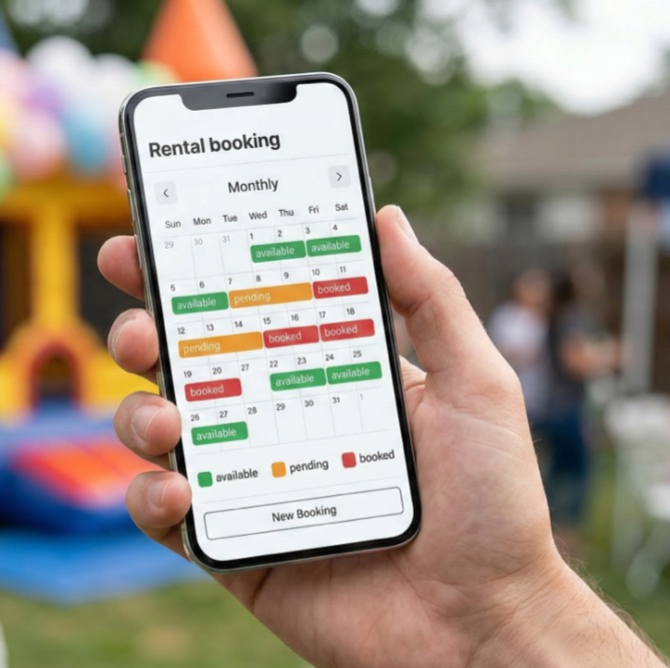
Set these rules once and Renta handles the rest. The calendar updates automatically as bookings come in. You'll never have to manually block a date because something is already booked — the system does it for you.
Step 4: Connect Payments
This is the step that transforms your booking system from a reservation tool into an actual revenue engine.
Renta processes payments through Stripe — the same payment infrastructure used by Amazon, Shopify, and millions of businesses worldwide. Connect your Stripe account and customers can pay in full at the time of booking.
No more chasing invoices. No more awkward "can you Venmo me?" conversations. No more customers who book and don't show because they haven't paid yet. Payment at booking is one of the single most effective ways to reduce no-shows — and it takes about two minutes to set up.
Step 5: Set Up Your Automated Messages
Before you go live, take ten minutes to set up two automated messages that will save you hours of manual texting every single week.
The booking confirmation — sent automatically the moment someone books. It includes their booking details, the date and time, the location, and what they've reserved. It makes the booking feel real and official, and it dramatically reduces the "wait did my booking go through?" messages you'd otherwise be fielding all day.
The 24-hour reminder — sent automatically the day before every rental. A simple heads up with all the details, what to bring, and where to go. This one message alone cuts no-shows significantly. Set it once and it runs forever.
Both of these are built into Renta. You write them once, customize them to sound like you, and the platform handles the rest.
Step 6: Activate Your Built-in Website
Here's the part that surprises most rental business owners: Renta includes a customer-facing booking website. Built in, included in both plans, no extra cost.
You don't need a separate website. You don't need a developer. You don't need Squarespace or Wix running alongside your booking system and never quite syncing properly.
Your Renta storefront is where customers browse your inventory, check availability in real time, and complete their booking — all in one place. Customize it with your business name, your logo, your photos, and your description. It takes about twenty minutes and the result is a professional, mobile-friendly booking page that works on any device.
Step 7: Share Your Booking Link
You're live. Now tell people.
- Add the link to your Instagram bio
- Post it on your Facebook page
- Text it to your existing customers with a quick note
- Add it to your Google Business profile
- Put it in your email signature
You don't need a launch campaign or a big announcement. A simple "we now have online booking — here's the link" message to the people who already know you is enough to start getting bookings through the new system today.
What Happens After You Go Live
The first thing most rental business owners notice after setting up online booking is time. Specifically, how much of it they get back.
No more back-and-forth texts to confirm availability. No more manually updating a spreadsheet when something gets booked. No more chasing payments after the fact. The system handles all of it — and it handles it the same way every single time, without mistakes, without forgetting, and without needing to be reminded.
The second thing they notice is professionalism. Customers who book through a clean, mobile-friendly system have a fundamentally different first impression of your business than customers who text a number and wait for a reply. Online booking signals that you're established, organized, and worth trusting with their time and money.
Ready to Get Started?
Setting up online booking for your rental business isn't a project. It's an afternoon.
Try it yourself — get started at getrenta.io and have your inventory live today.
Want a walkthrough? Book a demo and we'll set it up with you step by step.
The rental businesses that are growing fastest right now aren't necessarily the ones with the most equipment. They're the ones with the best systems. This is one of them.