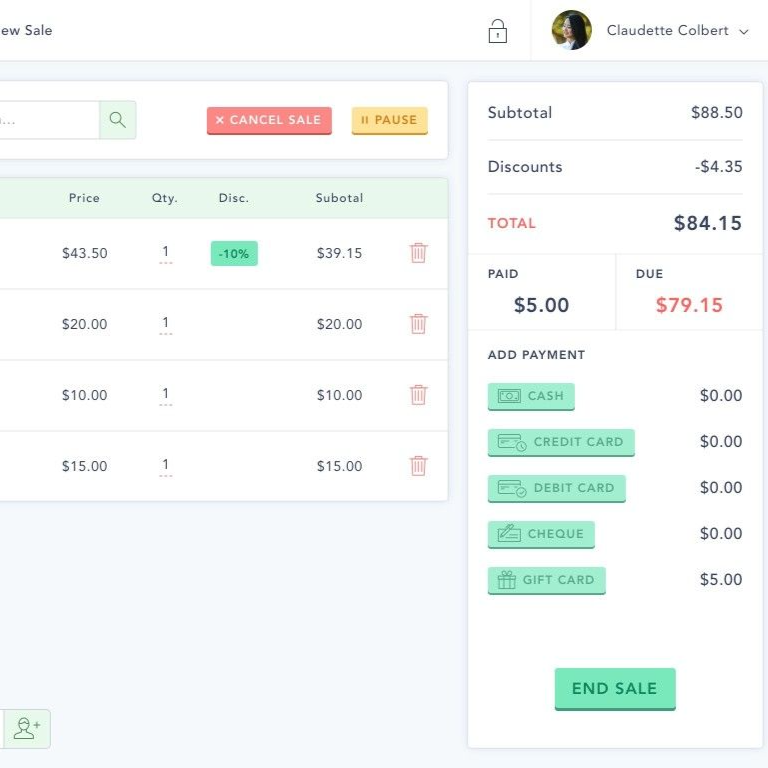
A retail register is built for a sale that ends at the counter. Scan the item, take the card, print the receipt, done. The customer walks out, and the transaction is closed.
A rental doesn't end at the counter. It starts there. The unit leaves, comes back hours later, maybe with a scratch, maybe low on fuel, and the money isn't settled until it's back on the dock. That's why so many rental shops that started on a retail POS end up running half the business on paper.
This post covers where a retail register breaks down in rentals, what a rental POS needs to do instead, and how far you can stretch a retail system before it costs more than it saves.
What a retail POS is built for
A retail point of sale assumes four things:
- The item is gone for good. Inventory goes down by one and never comes back.
- The price is fixed. A product has one price, maybe with a discount.
- Payment is final. You charge once, and the only follow-up is a refund.
- The customer is anonymous. No signature, no ID, nothing to collect beyond the card.
Every one of those is false for a rental.
Where a retail register breaks on a rental
Follow one rental through the day, and the gaps show up at every step.
Rental moment | What a retail POS does | What a rental needs |
|---|---|---|
Booking ahead | Nothing. It rings up sales on the spot | Sell a time window, online and at the counter, from one calendar |
Handing over a unit | Removes one item from stock for good | Assign a specific unit and mark it out until it returns |
Pricing | One price per item | Hourly, half-day and full-day rates, plus season and holiday rules |
Deposit | Charge it or refund it | Hold it on the card, then release it or capture part for damage |
Paperwork | No place for it | A signed waiver attached to the rental |
Return | No step at all | Condition check, fuel and late charges, unit back in stock |
Walk-ins and online together | Doesn't know online bookings exist | One ledger, so the counter sees what the website already sold |
The return is the biggest gap. A retail system has no idea the sale has a second half, so everything that happens when the unit comes back lives on a clipboard, in a text thread, or in your head.
What to look for in a rental POS system
A POS system for a rental business is less a cash register and more a record of each rental from booking to return. Look for these:
- One ledger for walk-ins and online bookings. The person at the counter and your booking page have to see the same availability, or you'll eventually hand out a unit someone already paid for online.
- Inventory that goes out and comes back. Each unit should show as out while it's rented and return to stock when it's checked in.
- Pricing by duration and date. Hourly, half-day, and full-day rates, peak season and blackout dates, set once instead of worked out at the counter.
- Deposits as holds, not charges. A hold on the card that you release after a clean return, or capture in part for damage, without refunding and re-charging.
- Waivers tied to the rental. Staff should see the booking and the signature on one screen before handing over a key.
- Add-ons as line items. Helmets, life jackets, trailers, and fuel belong on the same ticket as the rental.
- A return step. A checklist for condition, fuel, and time, with any extra charges added to the same rental.
- A phone-friendly counter. At a dock or a trailhead, the counter is often a phone or tablet, not a desk.
For a version of this checklist written for jet ski fleets, see Jet Ski Rental Software: What to Look For Beyond the Booking Calendar. For how booking, inventory, payments, waivers, and pricing fit together in one system, see All-in-One Rental Software.
Can you make a retail POS work?
For a while, yes. Plenty of shops start this way, and with a handful of units it can hold together. The usual workarounds:
- Each rental duration becomes its own product: "Kayak, 2 hours", "Kayak, full day".
- The deposit is charged as a separate item and refunded by hand when the unit comes back.
- Waivers live in a separate app or on paper in a binder.
- A calendar or whiteboard tracks which unit is out and when it's due.
Each workaround is a step someone has to remember. They stop working when any of these happen:
- You start taking online bookings, and the counter and the website stop agreeing on what's available.
- You have more units than you can track in your head on a busy Saturday.
- A renter disputes a damage charge, and the only record is a refund you didn't issue.
- A deposit refund gets missed and turns into an angry review.
If two or more of those sound familiar, it's worth adding up what the workarounds cost you in staff time and missed deposits, and comparing that with a rental system.
Where Renta fits
Renta is booking and operations software built for rental businesses, from powersports and boats to kayaks and bikes. It covers the rental-specific parts a retail register leaves out:
- A unified booking ledger, with walk-ins handled alongside online bookings.
- A pricing rules engine for duration, seasonal and blackout pricing, plus promo codes.
- Add-ons as line items, such as helmets, trailers, or a guide.
- Digital waivers signed electronically and tied to each booking.
- Inspection checklists and gear assignment at every handoff.
- A return flow with a condition check and a damage flow. Deposits can release automatically when the rental is completed, a setting you turn on per unit.
- Online payments and deposits through Stripe, with payouts to your bank.
One thing Renta doesn't do is take card-present payments. There's no card reader. Payments are online only, so a walk-in customer pays through the online checkout, for example, on their own phone, while the booking lands in the same ledger as everything else.
Renta has two plans:
Plan | Price |
|---|---|
Commission | 2.5% per booking, paid by the renter at checkout |
Flat | $300 a month, or $3,000 a year |
Standard Stripe processing, about 2.9% + 30¢, applies to both.
If your register handles the payment and a clipboard handles everything else, schedule a demo or start free.
Frequently asked questions
What is a rental POS system?
A rental POS system handles the counter side of a rental business: taking walk-in bookings, collecting payment and deposits, and checking units out and back in. Unlike a retail POS, it tracks each rental until the unit is returned.
Can I use the same system for walk-ins and online bookings?
You should. When walk-ins and online bookings live in separate systems, someone has to keep them in sync by hand, and the first missed update is a double-booked unit.
Do I still need a retail POS for merchandise?
If you sell a lot of retail goods, such as apparel or snacks, a retail register may still earn its place for that side of the business. Rentals belong in a system built for them, and add-ons that go with a rental belong on the rental's ticket.
Do I need a card reader for walk-ins?
Not always. If most customers book ahead and walk-ins are happy to pay on their phone, a sign or QR code at the counter that points to your booking page can replace a card reader. If you take a lot of cash, or customers expect to tap a card at the counter, you'll want a way to take card-present payments alongside your rental system.