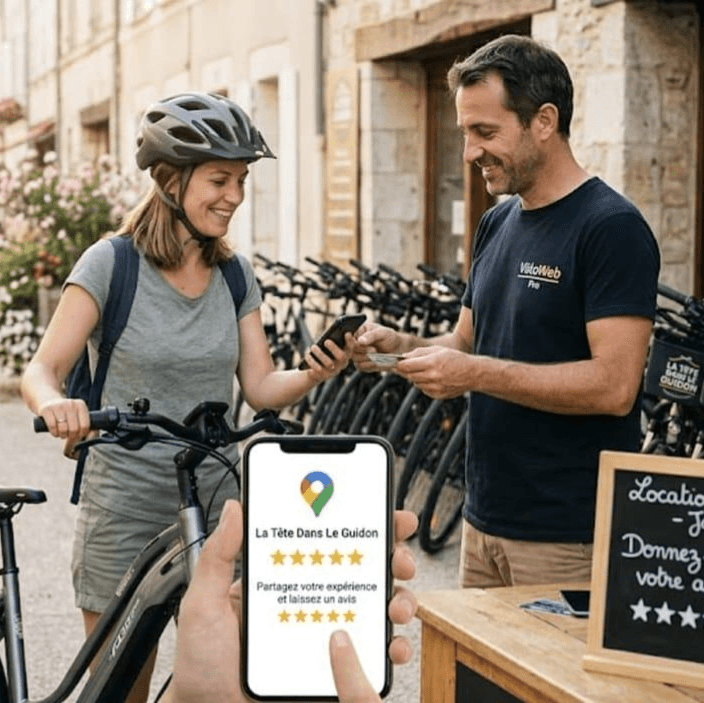
Instead of relying on employees to remember to ask every customer, you can set up automatic follow-up messages that invite customers to share their experiences after a rental.
For rental businesses, this creates a simple way to collect more genuine customer feedback, build an online reputation, and make it easier for future customers to feel confident booking with you.
In this guide, we'll explain how automated review requests work, when to send them, what to say, and how to build a follow-up process that runs without adding more work to your team.
What Are Automated Review Requests?
Automated review requests are messages sent to customers after a purchase, service, or rental asking them to share feedback about their experience.
These messages can be sent automatically through email or text once a specific event happens, such as a completed reservation or equipment return.
For example, imagine a customer rents a jet ski from your business. After returning the equipment, they receive a friendly text message thanking them for their booking and providing a link to your Google review page.
The customer can click the link and leave feedback whenever it's convenient.
You don't have to remember to send the message manually, and your team doesn't need to contact every customer individually.
For a rental business handling dozens or hundreds of reservations, automating this small step can make a big difference in consistency.
Why Rental Businesses Should Automate Review Requests
Many rental operators depend on word of mouth, repeat customers, and online searches to generate bookings. Reviews support all three.
Here are some reasons to make automated review requests part of your customer follow-up process.
1. Get more consistent customer feedback
The biggest advantage of automation is consistency.
When employees are busy checking out equipment, cleaning vehicles, answering calls, and preparing reservations, asking for reviews can easily get forgotten.
An automated message makes sure customers receive a review invitation after the rental, even during your busiest weekends.
2. Build trust with future customers
Before booking a rental, people often want to know what other customers experienced.
They may look for comments about equipment condition, staff friendliness, check-in times, safety instructions, and overall service.
A steady collection of genuine reviews gives potential customers more information to help them make a decision.
3. Save time for your employees
Manually following up with every customer takes time. If your business handles 30 rentals per day, that's 30 additional messages someone needs to remember to send.
Automation takes that repetitive task off your team's plate so they can focus on serving customers and managing equipment.
4. Discover problems earlier
Not every review will be positive, and that's useful.
Customer feedback can reveal recurring problems, such as confusing rental instructions, long wait times, or equipment that needs attention.
When you consistently invite customers to share feedback, you have more opportunities to identify areas where your business can improve.
5. Support your online reputation
Reviews help people understand what your rental business offers and what the customer experience is like.
Google also recommends reminding customers to leave reviews through a direct review link or QR code. It encourages businesses to value honest feedback and respond to reviews professionally.
The goal should be to build a steady collection of genuine reviews—not simply chase a perfect five-star rating.
When Should You Send an Automated Review Request?
Timing matters. Send the message too early, and the customer may not have completed the rental. Wait too long, and they may have forgotten the details of their experience.
For most rental businesses, a good starting point is to send a review request shortly after the rental is completed.
The ideal timing depends on the type of rental.
| Rental type | Suggested timing |
|---|
| Jet ski rentals | Shortly after equipment return |
| ATV and UTV rentals | After the rental is completed |
| Boat rentals | After the customer returns |
| Bike rentals | After equipment return |
| Kayak rentals | After the rental period |
| Multi-day equipment rentals | After the final return |
These are suggested starting points, not strict rules. Test your timing and consider when customers are most likely to have time to respond.
For example, a customer returning from a full-day boat rental may appreciate a follow-up later that afternoon or the next morning rather than receiving a message while they're still unloading their belongings.
For multi-day reservations, send one review request after the entire rental is complete instead of sending a separate request every day.
5 Automated Review Request Message Examples
Your messages don't need to be complicated. A short, friendly request with a direct link is usually enough.
Here are five templates you can adapt for your rental business.
1. Simple post-rental text message
Best for: Most rental businesses.
"Hi [Customer Name]! Thanks for renting with [Business Name]. We hope you had a great experience! If you have a moment, we'd appreciate an honest review. Your feedback helps our business grow: [Review Link]"
2. Friendly follow-up email
Best for: Customers who booked online or rented for multiple days.
Subject: Thanks for renting with us!
"Hi [Customer Name],
Thank you for choosing [Business Name] for your recent rental. We hope you had a great time!
We'd love to hear about your experience. If you have a minute, please consider leaving us an honest review.
Your feedback helps other customers discover our business and helps us continue improving.
[Leave a Review]
Thanks again, and we hope to see you next time!
[Business Name]"
3. ATV or UTV rental review request
Best for: Off-road rental operators.
"Hey [Customer Name]! Thanks for hitting the trails with [Business Name]. We hope you had an awesome ride! We'd love to hear how everything went. Share your honest feedback here: [Review Link]. Thanks again!"
4. Boat or jet ski rental review request
Best for: Marine rental businesses.
"Hi [Customer Name]! Thanks for spending the day on the water with us. We hope you had a fantastic experience! If you'd like to share your feedback, you can leave us a review here: [Review Link]. We appreciate your support!"
5. Follow-up after a longer rental
Best for: Weekly rentals, equipment rentals, and multi-day reservations.
"Hi [Customer Name],
Thanks again for choosing [Business Name] for your recent rental. We hope everything went smoothly and that our equipment worked well for your needs.
We'd appreciate hearing about your experience. If you have a moment, please leave us an honest review here:
[Review Link]
Thanks for your business!"
Tip: Personalize these templates with your business name and the type of equipment customers rented. Keep the wording natural and avoid making every message sound like an advertisement.
How to Set Up an Automated Review Request System
You don't need a complicated marketing campaign to get started. A simple process with a few basic steps can handle most of the work.
Step 1: Create your review link
If you want customers to leave Google reviews, start by creating a direct link to your Google Business Profile review page.
Google allows businesses to share a review link or QR code. You can include that link in emails, text messages, receipts, and other customer communications.
Make sure the link takes customers directly to the place where they can leave a review. The fewer steps they need to take, the easier the process becomes.
Step 2: Write your message
Create a short message that thanks customers for their rental and invites them to share honest feedback.
Keep it friendly and straightforward. Avoid asking customers specifically for five stars or suggesting what they should write.
Your message should feel like a natural follow-up, not a demand.
Step 3: Choose the automation trigger
Decide what event should trigger the message.
For most rental businesses, the best trigger is the completed rental or equipment return.
This is important because the message should not go out while the customer is still using the equipment.
If your system tracks reservation status, you may be able to trigger the message automatically when a booking is marked as completed.
Step 4: Choose when the message is sent
Set a reasonable delay between the rental completion and the review request.
You could start with a few hours after return or the following morning. Then review response patterns and adjust the timing if needed.
Step 5: Test the entire process
Before activating automation for every customer, run a test reservation.
Check that:
The message is triggered after the rental is completed.
The correct customer receives it.
The customer's name and other details appear correctly.
The review link works.
The message doesn't get sent more than once for the same rental.
A quick test can prevent confusing messages and unnecessary follow-ups.
Important: How to Ask for 5-Star Reviews Without Breaking Google's Rules
The goal of an automated review system may be to earn more five-star reviews, but there is an important distinction between encouraging honest feedback and manipulating ratings.
Google allows businesses to ask customers for genuine reviews. However, its policies prohibit businesses from:
Offering discounts, free rentals, gifts, or other incentives in exchange for reviews.
Asking only customers who had a positive experience to leave reviews.
Discouraging customers from leaving negative reviews.
Pressuring customers to leave a particular rating.
Asking customers to include specific wording in their reviews.
This means you should send the same general review invitation to all eligible customers, regardless of whether you think their experience was positive or negative.
You can absolutely provide excellent service, make the review process easy, and invite customers to share their experiences. Just let them decide what rating and feedback they want to leave.
For the latest guidance, review Google's official review policies.
Common Mistakes to Avoid with Automated Review Requests
Automation makes the process easier, but a poorly configured system can annoy customers or damage their impression of your business.
Watch out for these common mistakes.
Sending requests before the rental is finished
A customer shouldn't receive a review request while they're still using your equipment. Connect the automation to the completed rental status rather than the booking creation date.
Sending too many messages
One well-timed review request is a good starting point. Avoid sending repeated reminders that make customers feel pressured.
Using generic messages
A message that simply says "Leave us a review" feels impersonal. Thank customers for their rental and make the request sound like it comes from a real business.
Forgetting to check customer feedback
Automation doesn't mean you can ignore your reviews. Make time to read new feedback, respond professionally, and investigate recurring complaints.
You can also use the examples in our guide to how to respond to reviews for rental shops to make replying easier.
Sending broken or incorrect links
Always test your review link. If customers have to search for your business themselves, fewer may complete the process.
Automate Your Rental Follow-Ups with Renta
One of the biggest challenges for rental operators is keeping up with customer communication while managing daily operations.
Renta helps make this easier with automated messaging built into its rental management platform.
You can configure booking confirmations and reminders, then add a post-rental follow-up that asks customers to leave a Google review or refer your business to someone else.
Once configured, these messages can be triggered automatically as part of your reservation workflow, so your team doesn't have to remember to contact every customer manually.
That means you can spend less time chasing follow-ups and more time managing your fleet and serving customers.
Learn more about Renta's rental management platform and see how automated messaging can fit into your rental operations.
Final Thoughts: Make Review Requests Part of Every Rental
Getting more customer reviews doesn't have to mean adding another manual task to your daily routine.
With automated review requests, you can create a consistent follow-up process that invites customers to share genuine feedback after every completed rental.
Start with a simple message, send it at the right time, make the review link easy to access, and give customers the freedom to share their honest opinions.
Over time, consistent requests can help you collect more feedback, understand your customers better, and build an online reputation that gives future renters confidence in choosing your business.