The challenge is making sure they find your business instead of a competitor.
That's where SEO for tour operators comes in. Local search engine optimization helps your business appear when people search for tours, activities, and equipment rentals in your area.
You don't need a massive marketing budget or an agency to get started. You need accurate business information, useful website pages, genuine customer reviews, and a booking experience that makes it easy for people to reserve.
This guide walks through a practical local SEO strategy for ATV rentals, boat rentals, jet ski businesses, bike rentals, kayak shops, and guided tour operators.
1. Start with Your Google Business Profile
Your Google Business Profile is one of the most important places to start with local SEO.
It helps your business appear in Google Search and Google Maps when people look for nearby services.
For example, someone searching for "jet ski rentals near me" may see a map with several rental businesses before they ever visit a website.
Your goal is to make your profile complete, accurate, and useful.
Complete your business information
Start by checking that your profile includes:
Your actual business name.
The correct primary business category.
Your address or eligible service area.
Phone number and website.
Regular and seasonal business hours.
Accurate descriptions of your rental and tour services.
Booking information.
Choose the business category that best represents your primary operation. If you operate an ATV rental business, make sure your profile accurately reflects that service rather than selecting a category simply because it seems more popular.
If you operate from a customer-facing location, use the real location. If you travel to customers or operate as a service-area business, follow Google's rules for service areas and address visibility.
Add real photos regularly
Photos help potential customers understand what they're booking.
For rental and tour operators, useful photos include:
Your actual rental fleet.
ATVs or UTVs on local trails.
Boats and jet skis at your launch location.
Customers preparing for a guided tour, with permission.
Your storefront or pickup area.
Guides and staff.
Equipment and safety gear.
Use real photos whenever possible. A picture of your actual boats, vehicles, or tours gives customers a better idea of the experience than a generic stock image.
Keep your profile updated
If your operating hours change during the season, update them. If you stop offering a particular tour, remove or update that information.
Google says local results are primarily influenced by relevance, distance, and prominence. Complete business information helps Google understand what your business offers and whether it matches a search.
Read Google's official guide to improving local rankings for more details.
2. Find the Keywords Your Customers Actually Search
Keywords are the phrases people type into Google when looking for a rental or tour.
For local operators, the most valuable keywords usually combine three things:
The activity or equipment.
The location.
The customer's intent to book.
For example, someone searching "what is an ATV?" is looking for information. Someone searching "ATV rentals near Moab" is much closer to making a reservation.
Both searches can be useful, but the second one has stronger booking intent.
Examples of local keywords for rental businesses
| Business type | Example keywords |
|---|
| ATV rentals | ATV rentals near Moab |
| UTV rentals | UTV rentals in St. George |
| Jet ski rentals | Jet ski rentals in Lake Havasu |
| Boat rentals | Boat rentals near Lake Tahoe |
| Kayak rentals | Kayak rentals in Austin |
| Bike rentals | E-bike rentals in Park City |
| Guided tours | Guided ATV tours near Zion |
| Dirt bike rentals | Dirt bike rentals in Southern Utah |
Use these phrases as starting points, not keywords to repeat everywhere.
How to find more keyword ideas
Try these simple methods:
Google autocomplete: Start typing phrases such as "ATV rentals in..." and look at the suggestions Google provides.
Related searches: Scroll to the bottom of search results to see related searches that may reveal other customer needs.
Competitor websites: Look at the page titles, service descriptions, and locations used by businesses that offer similar rentals.
Google Search Console: Once your website is connected, review the queries that already bring people to your pages. You may discover that customers search for specific equipment models, tour types, or nearby destinations.
Create a list of 10–20 relevant searches to guide your website content. Focus on phrases that match the services you actually offer.
3. Create a Separate Website Page for Each Important Rental or Tour
One of the most common SEO mistakes rental businesses make is putting every service on a single page.
Imagine you offer ATV rentals, UTV rentals, guided off-road tours, and dirt bike rentals. A homepage that briefly mentions all four services may not provide enough information for someone searching for one specific activity.
Instead, create dedicated pages for your main services.
Example website structure
A rental business in Southern Utah could organize its website like this:
Each service page should explain exactly what customers can book.
For example, an ATV rental page should include:
Available vehicle types.
Rental durations.
Starting prices or pricing information.
What's included.
Pickup location.
Age and licensing requirements, where applicable.
Deposit and cancellation policies.
Photos of the actual equipment.
Customer reviews or testimonials.
A clear booking button.
The page should answer the questions a customer needs to make a decision.
Example SEO title and meta description
For an ATV rental business in Moab:
SEO title: ATV Rentals in Moab, Utah | [Business Name]
Meta description: Rent ATVs in Moab, Utah. Compare available vehicles, view rental options, and book your next off-road adventure online.
Use your real location and business name. Don't copy this example if you operate somewhere else.
Don't create dozens of nearly identical location pages
If your business serves several destinations, it can make sense to create separate location pages.
However, each page needs genuinely useful information about that location and the service you provide there.
Avoid creating dozens of pages that simply swap one city name for another. Pages with almost identical content and no real value for visitors can create a poor user experience.
A smaller number of useful, accurate pages is a better starting point.
4. Optimize Your Website for Local Search
Once your main pages are created, make sure Google and customers can understand them.
You don't need to become a technical SEO expert, but a few basic improvements can make your website easier to navigate and understand.
Use location-specific titles and headings
Your main page heading should clearly describe the service and location.
For example:
H1: ATV Rentals in Moab, Utah
H2: Choose Your ATV Rental
H2: Explore Off-Road Trails Near Moab
H2: ATV Rental Prices and What's Included
H2: Frequently Asked Questions
Keep headings natural. Include relevant phrases where they make sense, but don't force the same keyword into every heading.
Add your location naturally throughout the page
Mention your city, region, pickup location, and nearby destinations when they help customers understand where you operate.
For example:
"Our ATV rental shop is located near downtown Moab, making it easy to pick up your vehicle before exploring the area's off-road trails."
Only mention destinations and access information that are accurate. Don't imply that customers can ride somewhere if local regulations, permits, or trail restrictions prohibit it.
Make your website mobile-friendly
Many travelers search for rentals from their phones, sometimes while already visiting your destination.
Your website should:
Load quickly.
Display properly on mobile devices.
Make prices easy to find.
Have visible booking buttons.
Use readable text.
Make phone numbers easy to tap.
Let customers complete reservations without unnecessary steps.
A website that looks great on a desktop but makes mobile booking difficult can cost you customers.
Use descriptive image names and alt text
Instead of uploading a photo named IMG_4829.jpg, use a descriptive filename such as:
atv-rentals-moab-utah.jpg
Add natural alt text that describes the image, such as:
Two rental ATVs parked near an off-road trail in Moab, Utah.
Alt text should describe what is actually visible. Don't stuff it with a list of keywords.
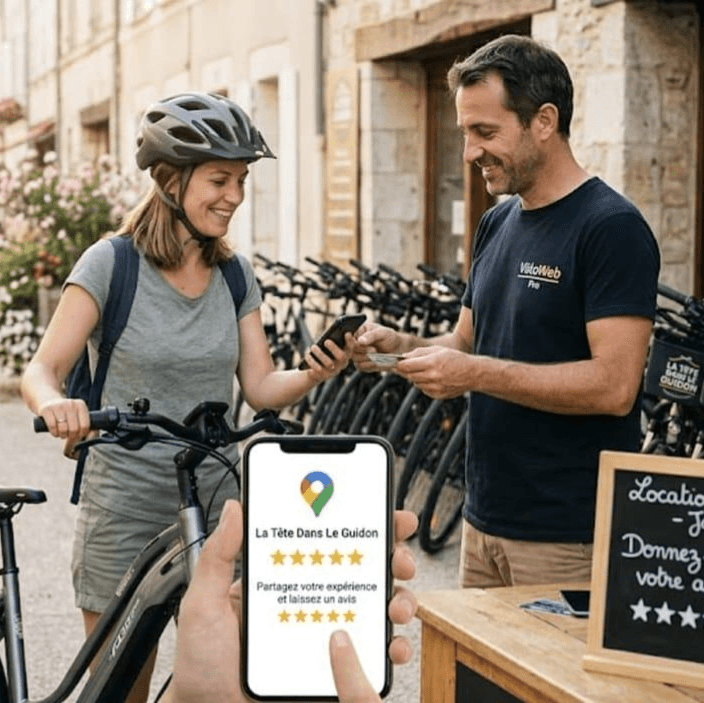
5. Get More Genuine Customer Reviews
Reviews help potential customers decide whether your business is trustworthy.
Someone comparing two kayak rental shops may look at their ratings, read comments about equipment quality, and check whether customers mention friendly staff or easy booking.
Reviews can also contribute to local prominence in Google's search results.
Make asking for reviews part of your rental process
Don't rely on customers remembering to leave a review on their own.
Create a simple follow-up process:
Customer completes a rental or tour.
Your business sends a thank-you message.
The message includes a direct link to your review page.
Your team monitors and responds to new reviews.
A short message works well:
"Thanks for joining us at [Business Name]! We hope you had a great experience. If you have a moment, we'd appreciate an honest review about your rental. Your feedback helps other customers find us: [Review Link]."
Ask customers for honest feedback regardless of whether you expect a positive or negative review. Don't offer discounts or free rentals in exchange for reviews, and don't ask only happy customers to post.
Respond to reviews
Thank customers for positive feedback and respond professionally to complaints.
If someone mentions a problem with equipment, waiting times, or customer service, investigate it rather than simply posting a generic apology.
For examples you can adapt, read our guide to how to respond to reviews for rental shops.
6. Build Local Links and Business Citations
Google can discover information about your business from sources beyond your website.
Local directories, tourism organizations, travel websites, and community businesses can help people find you and strengthen your online presence.
Start with accurate business listings
A business citation is an online mention of your business information, commonly including its name, address, and phone number.
Look for relevant places to list your rental shop:
Local tourism websites.
Visitor and convention bureaus.
Regional business directories.
Chamber of commerce directories.
Local outdoor recreation directories.
Relevant travel and activity websites.
Keep your business name, address, phone number, and website consistent wherever possible.
Don't pay for hundreds of low-quality directory listings. Focus on legitimate websites that customers in your area might actually use.
Build relationships with local businesses
Partnerships can create useful referral traffic and relevant website links.
For example:
A hotel could recommend your guided tours to guests.
A campground could link to your kayak rental page.
A local travel blog could feature your ATV business.
A tourism organization could include your shop in its activity directory.
A nearby vacation rental company could recommend your boat rentals.
Look for partnerships that genuinely help visitors discover things to do in your area.
7. Publish Helpful Local Content
Your website shouldn't only contain booking pages.
People also search for information before deciding which activity to book. Helpful articles can bring those visitors to your website and introduce them to your services.
The key is to write about questions your actual customers ask.
Blog topics for rental and tour operators
Here are some examples:
| Business type | Blog topic |
|---|
| ATV rentals | Best ATV Trails Near Moab: What Visitors Should Know |
| UTV rentals | What to Know Before Renting a UTV in Southern Utah |
| Boat rentals | Best Places to Explore by Boat Near Lake Tahoe |
| Jet ski rentals | What to Bring for a Jet Ski Rental |
| Kayak rentals | Beginner-Friendly Kayaking Spots Near Austin |
| Bike rentals | Best Bike Trails to Explore in Park City |
| Guided tours | What to Expect on Your First Guided ATV Tour |
These articles should provide useful local information, not just repeat sales language.
For example, an article about ATV trails can explain trail difficulty, access rules, safety considerations, and what customers should know before booking. Link naturally to your ATV rental page when it helps readers take the next step.
Make sure information about trail access, permits, and local rules is current and verified.
Connect blog articles to booking pages
A blog visitor may not be ready to book immediately. Give them a useful next step.
For example:
"Planning to explore the area? Check out our available ATV rentals and choose the vehicle that fits your trip."
Link that sentence to your actual ATV booking page.
This creates a path from informational content to a reservation.
8. Make Sure Your Website Can Turn Visitors Into Bookings
Getting traffic is only half the job.
If someone visits your website and can't figure out how to reserve, your SEO efforts may not generate much business.
Your website should make the next step obvious.
Put booking options where customers can find them
Important pages should include a visible booking button near the top and again after useful service information.
Customers should be able to:
View available rental equipment.
Select a date and rental duration.
See pricing before checkout.
Understand what's included.
Review policies and requirements.
Complete their reservation online.
Avoid making customers call just to find out whether a vehicle is available.
Track bookings, not just website visits
A page that gets 1,000 visits but produces no reservations may be less valuable than a page that gets 100 visits and generates 15 bookings.
Use Google Analytics and Google Search Console to understand how people discover and use your website. Where possible, configure booking conversion tracking so you can connect marketing activity to completed reservations.
Pay attention to:
This helps you understand which pages are actually contributing to your business.
9. Use Rental Software That Supports Your SEO Strategy
Your website and booking system should work together.
Some rental operators have a marketing website on one platform and a separate booking system on another. That setup can work, but it is important to make sure the booking process is easy to access and doesn't create unnecessary friction.
Renta is built for outdoor rental businesses and combines a customer-facing storefront with booking and rental management tools.
Depending on how you configure your site, you can use:
Customer-facing rental pages.
Online booking and real-time availability.
Embeddable booking widgets for an existing website.
Equipment listings and rental descriptions.
Google SEO features.
Custom domain support.
Reservations, payments, and digital waivers in one workflow.
One important detail: having booking software does not automatically make a website rank. Your pages still need useful content, accurate local information, good technical performance, and a clear connection to the services customers are searching for.
Renta also offers an SEO move check for operators switching from another website, helping identify potential search-traffic issues before moving over.
Explore Renta's rental management platform or see how it works.
10. Your 30-Day Local SEO Action Plan
If you're starting from scratch, don't try to fix everything at once.
Use this simple plan to build momentum.
Week 1: Fix your local presence
Claim and verify your Google Business Profile.
Check your business name, address, phone number, and hours.
Choose the correct business category.
Add real photos of your fleet and services.
Add your website and booking link.
Week 2: Improve your website
Choose your five most important local keywords.
Update your homepage title and main heading.
Create or improve your main rental and tour pages.
Add accurate pricing, location, and booking information.
Check the mobile booking experience.
Week 3: Build trust and local visibility
Create a direct Google review link.
Start sending post-rental review requests.
Respond to existing customer reviews.
Check relevant local directories.
Contact a few potential tourism or hospitality partners.
Week 4: Publish and measure
Publish one helpful local article.
Link it to a relevant booking page.
Set up Google Search Console if you haven't already.
Review your website traffic and search queries.
Check whether customers are completing reservations.
After the first month, repeat the process. Improve pages based on what customers search for and where your business needs more visibility.
Final Thoughts: Local SEO Should Bring You More Reservations
SEO for tour operators isn't about getting the most website traffic possible. It's about helping the right customers discover your business when they're looking for rentals and experiences in your area.
Start with your Google Business Profile, create dedicated pages for your main services, collect genuine customer reviews, and publish helpful local content.
Then make sure every important page gives visitors a clear way to book.
You don't need to do everything in one week. Consistent improvements can build a stronger online presence over time.
Want to make your rental website and booking process work together? Book a demo with Renta and see how you can manage your storefront, online reservations, fleet, waivers, and payments in one platform.