Automated emails Renta sends for you
Edit the confirmation, reminder, and other emails Renta sends automatically when a booking event happens.
Where to find it
Messages → Automated messages
Renta sends certain emails automatically, like a booking confirmation or a pickup reminder. Automated messages is where you edit the wording of those messages.
Where to find it
Messages → Automated messages
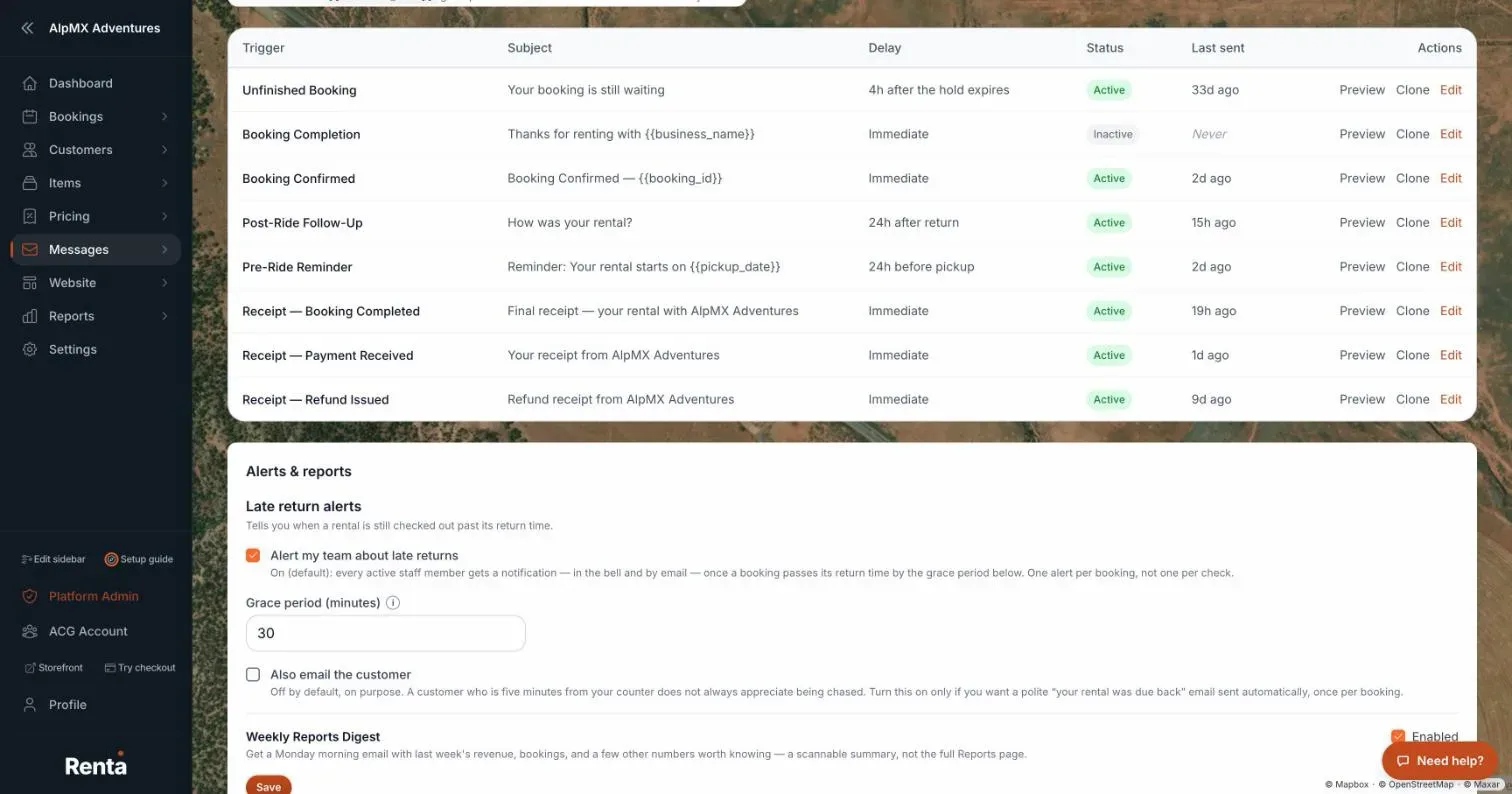 The email template list with trigger, subject, and Active toggle
How it works
- Template list — each row shows its trigger, a subject preview, and a body preview.
- Trigger type — when the email fires, for example at checkout or a set time before pickup.
- Subject — the email's subject line, editable.
- Body — the email's content, editable.
- Active toggle — turns a template on or off. Off (Inactive) means that automated email stops sending, including reminders already queued.
- Create Template — saves a brand-new template.
- Update Template — saves changes to a template you're already editing.
Example
If your default confirmation email says "See you soon!" but you'd rather it mention your cancellation policy, open that template, edit the body, and save — every future confirmation email uses the new wording.
Good to know
These templates apply across your whole business, not per location. Saving changes requires settings-editing access, so a staff member with view-only access can read templates but not change them.
Related articles
- Inquiries and emails: common questionsQuick answers on the Communications page, contact-form leads, website-assistant handoffs, replying, Compose, email templates and their triggers, and why Send or a tab is missing or greyed out.
- Website leads in one inboxContact-form messages and website-assistant handoffs, together in one inbox.
- Sending a one-off email to a customerPick a customer, start from a template or a blank message, and send an email from the Communications inbox.
- Your customer email templatesWrite and switch on the automated emails customers get (confirmations, reminders, receipts, review requests), see when each last went out, and preview them.
- Where did it move? Old menu names and where they are nowA lookup table from the old names in the Renta menus and Settings page to where each one lives today, with a link to the help article for each.
Still stuck? Ask the chat.
Was this helpful?