How you show up in Google Search
Impressions, clicks, click-through rate, and your average ranking position, pulled from Google Search Console.
Where to find it
Insights → Google Search tab (once connected)
Google Search Console is Google's own free tool for showing how your site performs in search results. Once connected, this tab pulls that data straight into Renta so you don't need to check it elsewhere.
Where to find it
Go to Insights, then the Google Search tab. It only shows real data once your Google Search Console account is connected.
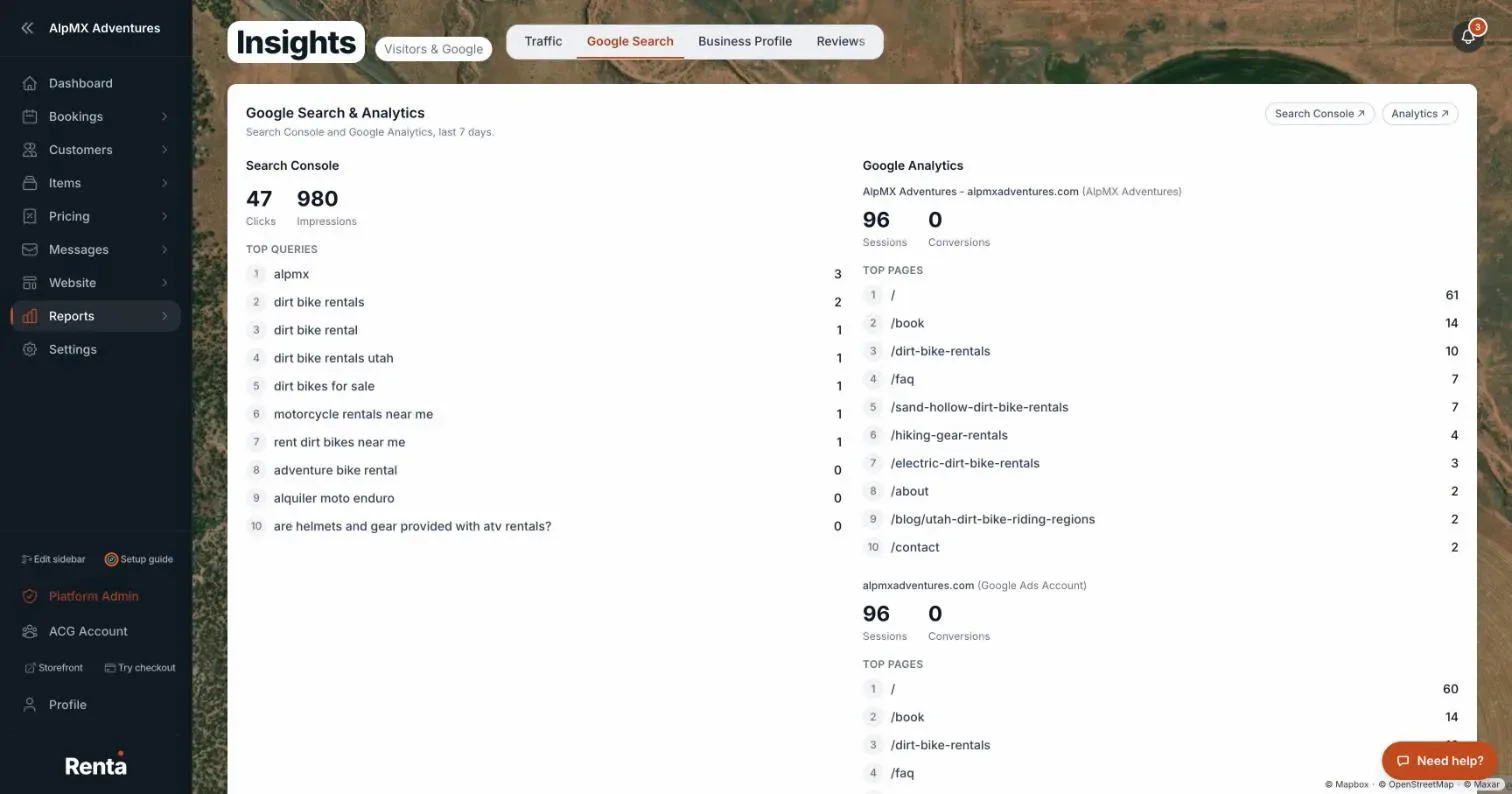 The Google Search tab showing impressions, clicks, and top queries
How it works
- Impressions — how many times your site appeared in Google's search results
- Clicks — how many of those impressions turned into an actual visit
- Click-through rate — the percentage of impressions that became clicks
- Avg position — your average ranking position in Google's results
- Top queries — the actual search terms bringing people to your site, with impressions, clicks, and position for each
- Top pages — which of your pages rank and get clicked the most
For example: if a search term like "jet ski rental near me" has high impressions but low clicks, your page is showing up but not standing out — that's usually a sign to improve your page title or description for that term.
Good to know
- This tab only shows data once Google Search Console is connected to your Renta site — connecting it is a one-time setup step outside this page.
- For a punch-list of specific fixes Renta has already found, see Fixing SEO problems Renta finds on your site.
Related articles
- Insights, Google and reviews — common questionsQuick answers on the Insights page tabs (Traffic, Google Search, Business Profile, Reviews, Google Ads), how visitors are counted, the SEO checklist, and why a card says "not connected" or shows no data.
- Renta's own tracking vs. yoursThe difference between Renta's built-in visitor counting and the Google Analytics (GA4) property you connect yourself.
- Approving and linking customer reviewsApprove or hide reviews customers have left on your site, and manage the list of review links you ask customers to use.
- How many people are visiting your siteVisitor counts, where they come from, and which pages they view most on your public booking site.
- Your Google Business reviews in one placeRecent reviews and your average rating from Google Business Profile, without leaving Renta.
Still stuck? Ask the chat.
Was this helpful?