Connecting Google Search Console, Analytics, and your Business Profile
Link Google so your search traffic and site performance show up in Renta, with an optional Business Profile connection for reviews and location data.
Where to find it
Settings → Integrations → Google Search Console & Analytics section
Connecting Google brings your Search Console and Analytics data into Renta, and optionally lets you add your Google Business Profile so its location and review data show up too. This requires a paid Renta plan.
Where to find it
Settings → Integrations → Google Search Console & Analytics section.
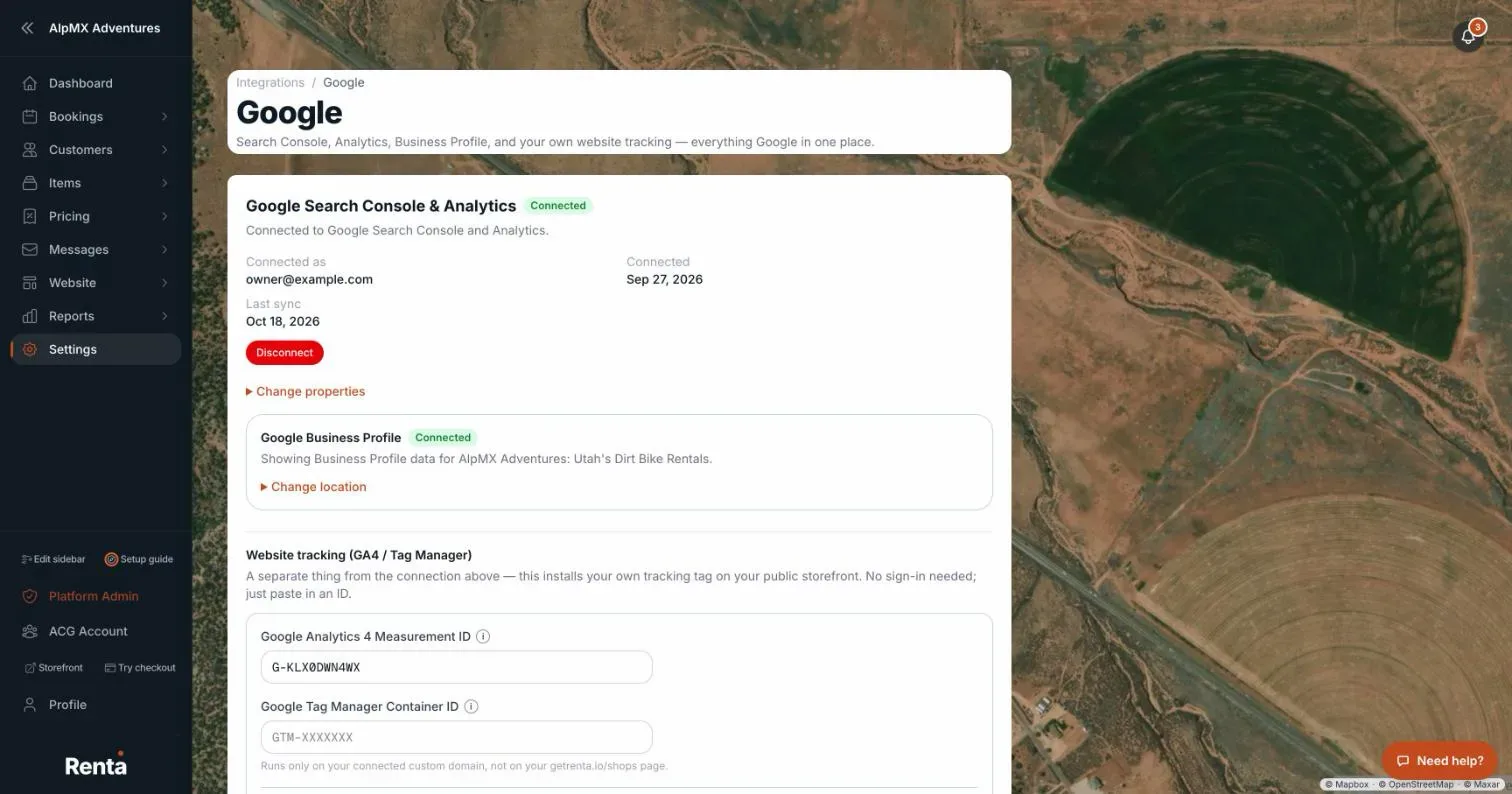 The Google Search Console & Analytics section with connect and Business Profile location picker
How it works
- Connect Google — signs you in to Google and requests access to Search Console and Analytics. A status badge shows your connection state.
- Choose a Search Console site and Analytics property — after connecting, pick which one feeds this Renta account, if you have more than one.
- Business Profile permission — an optional additional approval you can grant during or after connecting. If you decline it, Search Console and Analytics stay connected — you can add Business Profile at any time.
- Business Profile location picker — once Business Profile permission is granted, choose which of your Google Business Profile locations maps to this Renta account.
- Disconnect — removes the Google connection.
Example
After connecting and approving Business Profile access, your Google reviews and search performance both show up in Renta, without you needing to switch between separate Google dashboards.
Good to know
- This integration needs your Renta subscription to be in good standing (a cancelled one shows "part of Renta's paid plan" with a View plans link) — see Your subscription plan and billing history.
- Declining the Business Profile permission does not break your Search Console and Analytics connection; they're separate approvals within the same sign-in flow.
- This is separate from the Instagram connection, which only appears in Integrations when Renta has switched Instagram on.
Related articles
- Common questions: QuickBooks, Google, smart locks, AI assistants, API keys, and webhooksQuick answers about connecting QuickBooks Online, Google, Instagram, RideDog, igloohome smart locks, Claude or ChatGPT (MCP), API keys, and webhooks, plus why a connection may be missing or greyed out.
- Insights, Google and reviews — common questionsQuick answers on the Insights page tabs (Traffic, Google Search, Business Profile, Reviews, Google Ads), how visitors are counted, the SEO checklist, and why a card says "not connected" or shows no data.
- Connecting RideDogLink your RideDog account to see your GPS trackers and live vehicle locations right inside your Renta dashboard.
- Connecting QuickBooks OnlinePost your paid bookings and refunds to QuickBooks Online automatically, with sales tax recorded as money owed to the tax office.
- Creating API keys for developersGenerate, read and revoke the keys that let another tool or developer connect to your Renta account, and choose between secret, publishable and limited partner keys.
Still stuck? Ask the chat.
Was this helpful?