Renta's own tracking vs. yours
The difference between Renta's built-in visitor counting and the Google Analytics (GA4) property you connect yourself.
Where to find it
Settings → Integrations → Google → Website tracking (GA4 / Tag Manager)
Renta counts your website's visitors on its own, but you can also connect your own Google Analytics (GA4) property if you want more detailed tracking, or already use one for other tools. This page is where the two connect.
Where to find it
Go to Settings, open Integrations, then open the Google card. Scroll to Website tracking (GA4 / Tag Manager). The old Settings → Analytics address sends you straight there.
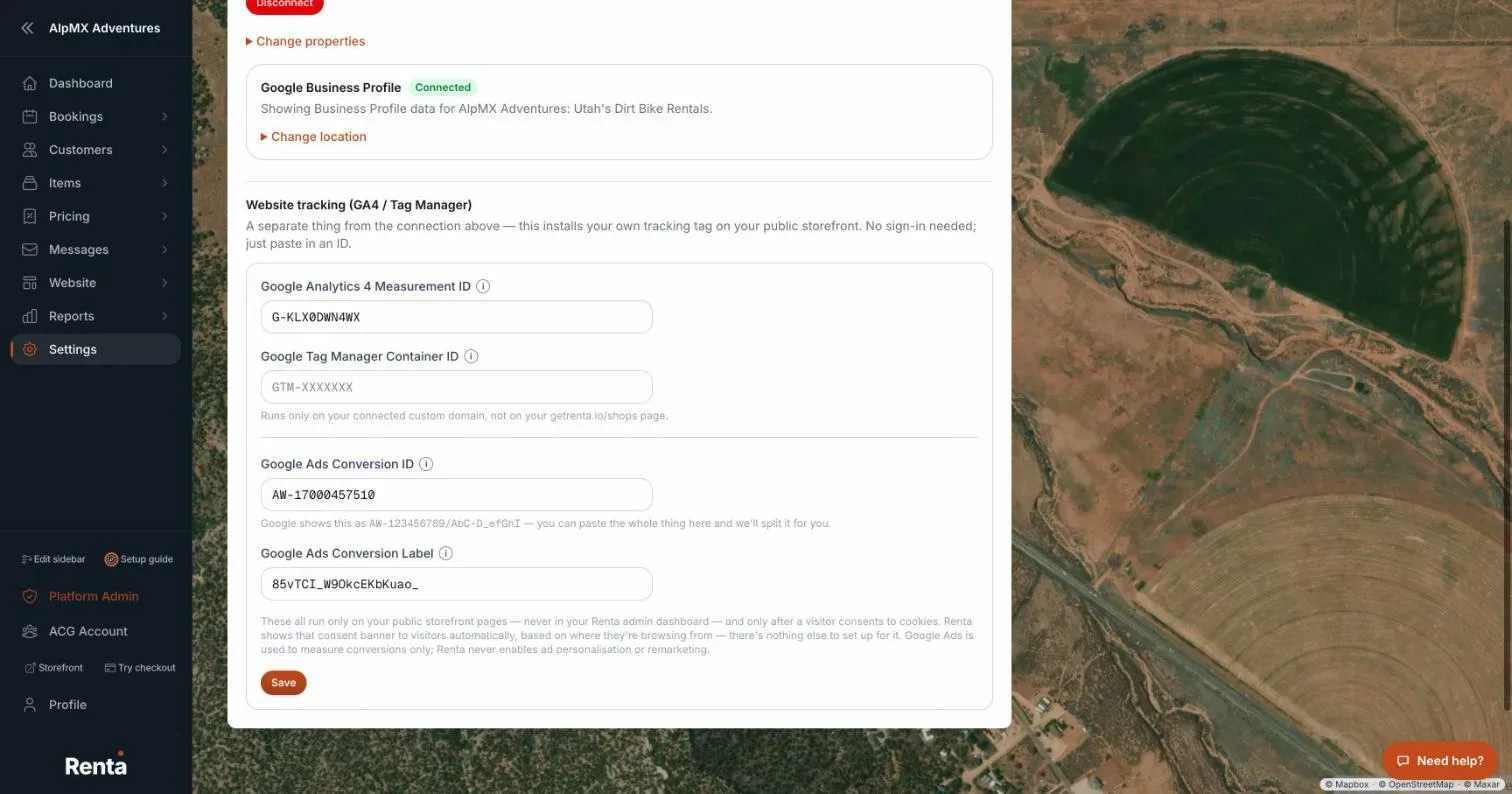 The Website tracking section on the Google integration page, with the GA4 Measurement ID field
How it works
- Google Analytics 4 Measurement ID — a field for the Google Analytics property you want your storefront to report to, if you have one
- Renta's own first-party visitor tracking has no switch on this page and works even if you never set up Google Analytics
For example: if you already use Google Analytics for your business's other marketing, plugging your GA4 Measurement ID in here means your Renta storefront's visits show up right alongside the rest of your data.
Good to know
- This page controls the setup only, not the traffic numbers themselves — to see actual visitor traffic, go to How many people are visiting your site.
- If you don't set a GA4 property, Renta's own storefront tracking still runs, so you're not left without any visitor data.
Related articles
- Insights, Google and reviews — common questionsQuick answers on the Insights page tabs (Traffic, Google Search, Business Profile, Reviews, Google Ads), how visitors are counted, the SEO checklist, and why a card says "not connected" or shows no data.
- Custom domain, embed, redirects and tracking code — common questionsQuick answers on connecting your own domain, adding a Book Now button to another website, redirecting old links, installing Google Analytics or your own code, and fixing common domain errors.
- How you show up in Google SearchImpressions, clicks, click-through rate, and your average ranking position, pulled from Google Search Console.
- Approving and linking customer reviewsApprove or hide reviews customers have left on your site, and manage the list of review links you ask customers to use.
- Your Google Business reviews in one placeRecent reviews and your average rating from Google Business Profile, without leaving Renta.
Still stuck? Ask the chat.
Was this helpful?