Renta's fee vs. your subscription plan
Two plans -- pay nothing monthly and let renters cover a 2.5% fee, or pay a flat monthly fee and keep 100% of bookings.
Where to find it
Pricing → Fees & policies → Change plan in Billing (opens the Billing & Subscription page)
Renta has two plans, and they trade off the same thing two different ways: on the Commission plan, you pay nothing monthly and the renter covers a 2.5% fee on every booking; on the Flat plan, you pay $300 a month and keep 100% of every booking with no per-booking fee.
Where to find it
In the sidebar, hover Pricing and click Fees & policies. The Renta fee card shows your plan, your fee rate per booking, who pays it, and a worked example. Click Change plan in Billing on that card to open the Billing & Subscription page, where you see or change your plan. You can also reach the same page from the Your Renta plan card on the Settings page.
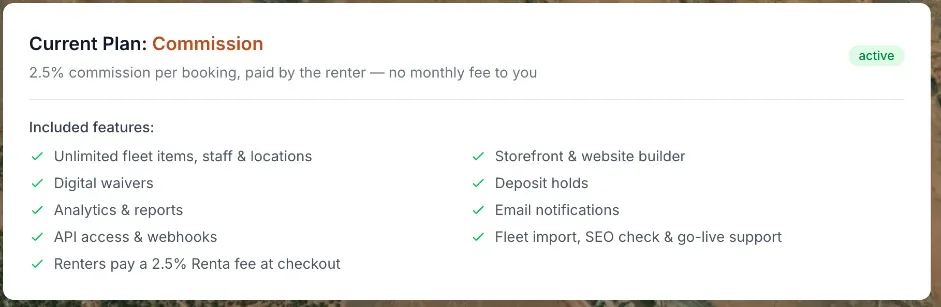 The Billing page's Current Plan card showing plan name and billing amount
How it works
- Commission plan — $0 per month for you. Renters pay a 2.5% platform fee added on top of the rental price at checkout.
- Flat plan — $300 per month for you, or $3,000 billed once a year (paying yearly saves 17%, like two months free). Renta takes 0% of your bookings — no per-booking fee at all.
- The Current Plan card on the Billing & Subscription page shows which plan you're on, your billing amount, and your renewal date.
- The Available Plans section lets you switch — moving to Flat starts a new subscription through Stripe Checkout; switching plans can also happen with a scheduled future switch date shown on screen.
The 2.5% fee (on Commission) is calculated on the pre-tax rental price only — Renta doesn't take a percentage of sales tax, and the fee itself isn't taxed either. It's added on top of the customer's total, so your listed rental price stays exactly what you set it at.
For example: if you price a rental at $100 with $8 of local tax, on the Commission plan the customer pays $108 plus a $2.50 Renta fee (2.5% of the $100 pre-tax price) — a total of $110.50 — and you keep the full $108. On the Flat plan, the customer pays just $108, and you pay Renta $300 a month regardless of how many bookings you take.
Good to know
- Which plan makes sense depends on your booking volume: a shop doing a high volume of bookings each month may save money on Flat, since $300/month replaces any amount of 2.5% fees.
- If Renta has set a special price or rate for your business, it shows on Pricing → Fees & policies: a special fee rate reads "Includes a special rate of X%, in effect through (date)" (or ", with no end date"), and a custom Flat price reads "Your flat plan price: $X/month". You cannot set these yourself.
- The 2.5% fee on Commission is generally non-refundable to the renter even if the booking itself is refunded — the one exception is a failed booking that never actually went through.
Related articles
- Common questions: Renta's fee, card fees, taxes and extra chargesShort answers on what Renta charges you, what your customer pays on top of your price, sales tax, the security deposit, damage and late fees, cancellation fees, and switching plans.
- Who pays the Renta feeChoose whether renters pay Renta's per-booking fee on top of your price, or your business absorbs it and it comes out of your payout.
- Common questions: how a price is calculatedQuick answers on how a booking total is built, why it differs from the price on the item, and how tax, rounding, the Renta booking fee, hand-typed prices and extra charges work.
- Common questions: your plan, billing, and invoicesQuick answers about Renta's two plans, how to switch between them, what the status badge means, where invoices are, and who is allowed to view or change billing.
- Your subscription plan and billing historySee which plan you are on, what it costs, when it renews, switch plans, and open your past invoices.
Still stuck? Ask the chat.
Was this helpful?