Connecting RideDog
Link your RideDog account to see your GPS trackers and live vehicle locations right inside your Renta dashboard.
Where to find it
Settings → Integrations → RideDog GPS Tracking card
RideDog is GPS tracking. Connect your RideDog account to see your trackers and live vehicle locations inside your Renta dashboard.
Where to find it
Settings → Integrations, the RideDog GPS Tracking card.
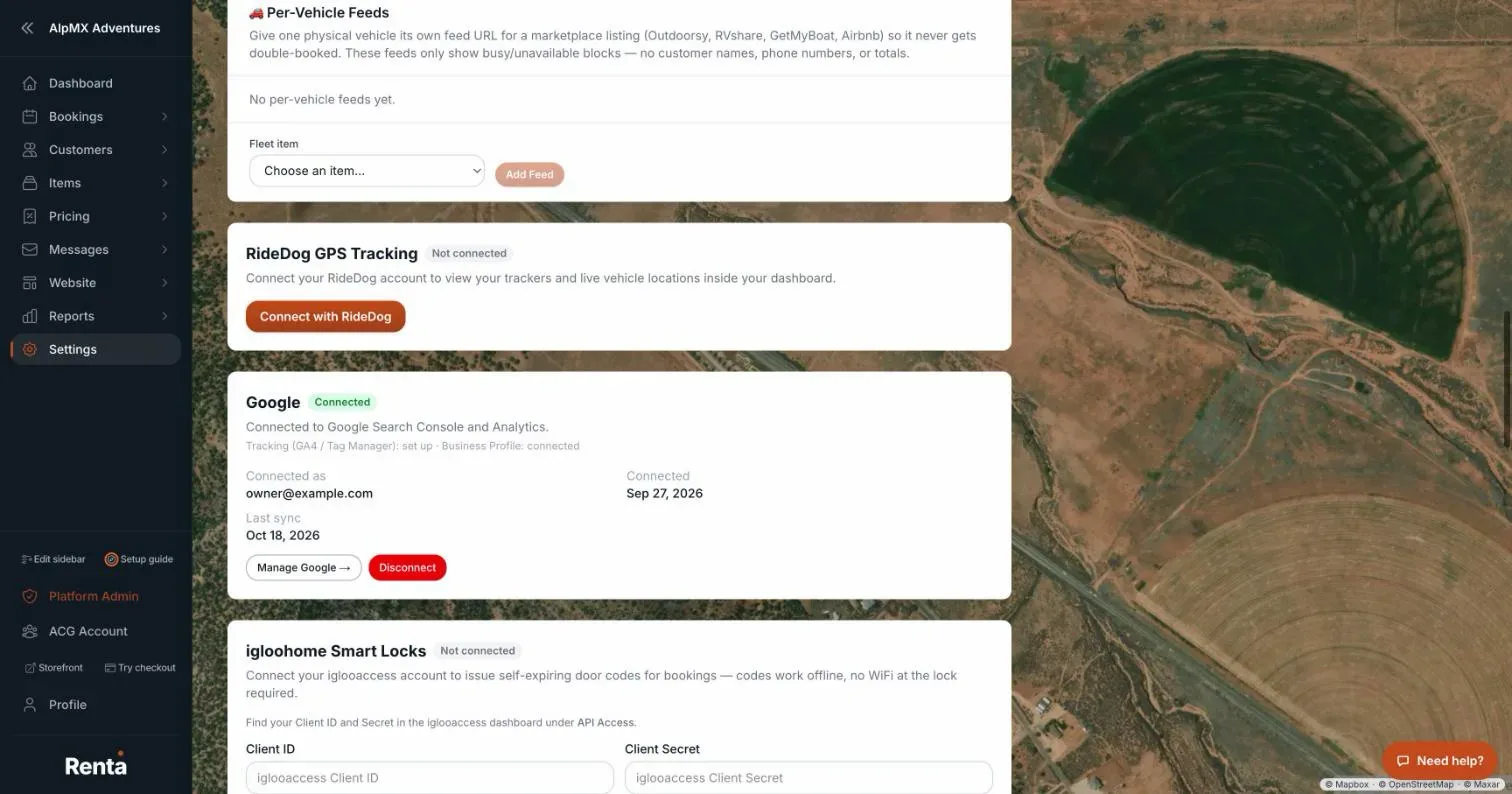 The RideDog GPS Tracking panel with the Connect with RideDog button
How it works
- Connect with RideDog — sends you to RideDog to sign in and approve. Afterwards the card says "RideDog connected. Your trackers will appear shortly."
- Status — Connected, Needs attention, or Not connected, with Connected and Last update dates.
- Reconnect — shown when the link needs attention (an error, or access that was revoked or expired). The message "Connected, but live updates couldn't be set up. Try reconnecting." also means press Reconnect.
- Disconnect — removes the link.
- Pressing cancel on RideDog's page shows "RideDog connection was cancelled." and changes nothing.
Example
You connect RideDog, and your jet ski trackers appear in your dashboard so you can see where each one is.
Good to know
- If the card says "RideDog isn't fully configured yet", the connection is not set up on Renta's side. Contact team@rentalabs.io.
- Connecting needs permission to manage integrations (Owners and Managers).
- For more quick answers see Common questions: QuickBooks, Google, smart locks, AI assistants, API keys, and webhooks.
Related articles
- Connecting QuickBooks OnlinePost your paid bookings and refunds to QuickBooks Online automatically, with sales tax recorded as money owed to the tax office.
- Creating API keys for developersGenerate, read and revoke the keys that let another tool or developer connect to your Renta account, and choose between secret, publishable and limited partner keys.
- Connecting smart locks (igloohome)Connect your igloohome (iglooaccess) account so Renta can issue self-expiring door codes for bookings.
- Sending Renta events to another system (webhooks)Get a signed message sent to your own address automatically whenever something happens in Renta, like a new booking.
- Connecting an AI assistant (Claude, ChatGPT and other MCP tools)Let your own AI assistant, such as Claude or ChatGPT, read and (if you allow it) change your Renta data, using a step-by-step connect wizard or a key you create yourself, and choose exactly what it may do.
Still stuck? Ask the chat.
Was this helpful?