Building and sending a quote
Build the order on the New Booking screen, click Generate quote, choose how long to hold the gear, and the customer accepts and pays online.
Where to find it
Bookings → New Booking → Generate quote, or Quotes → open a quote
A quote is built exactly like a booking: same screen, same items, dates, delivery, add-ons and pricing. The only difference is the last step. Instead of taking payment, you send the customer a quote they accept and pay for themselves.
Where to find it
Bookings → New Booking (or Quotes → New quote, which opens the same screen). Build the order, then click Generate quote under Continue to Payment.
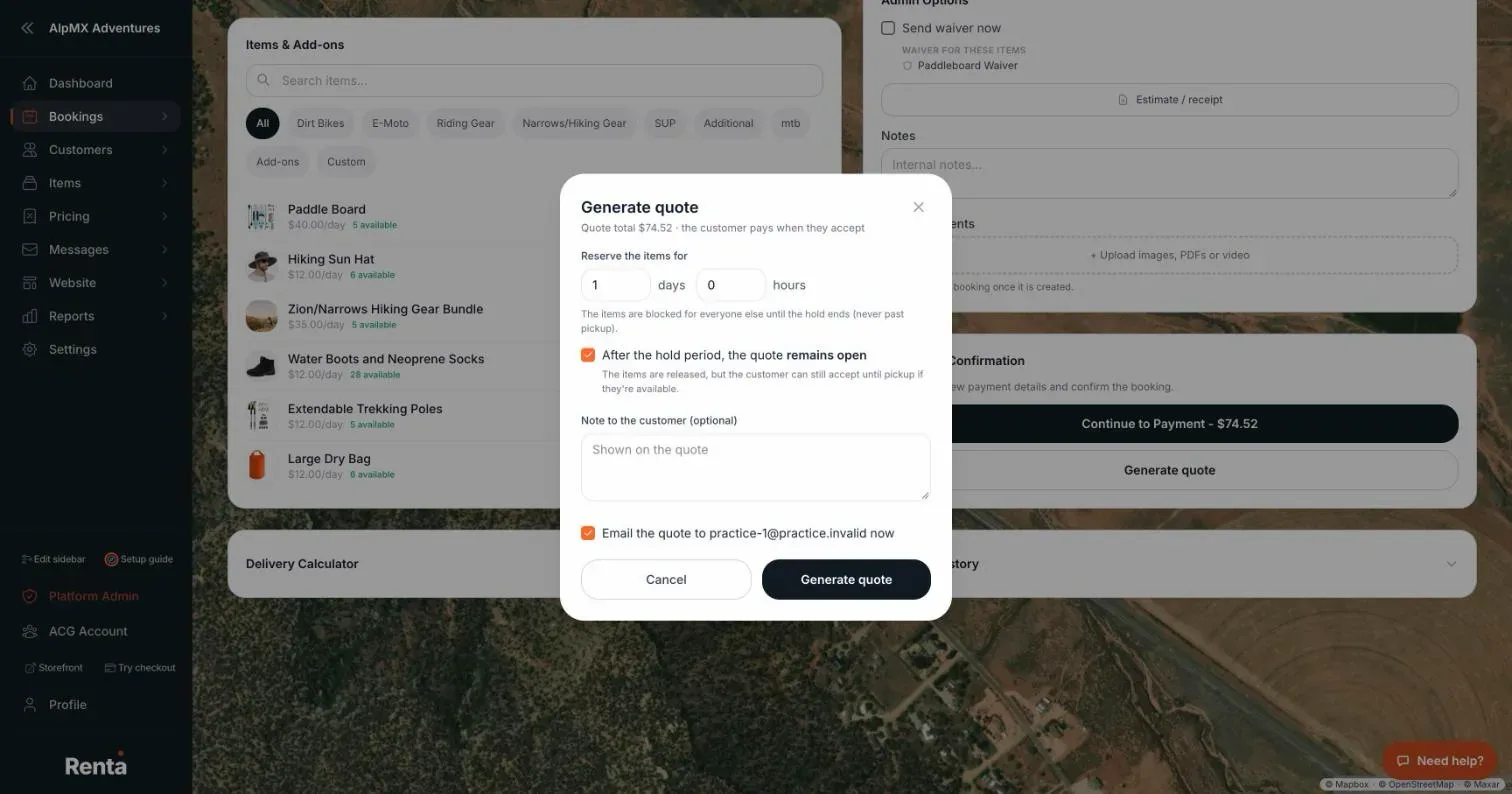 The Generate quote window on the New Booking screen
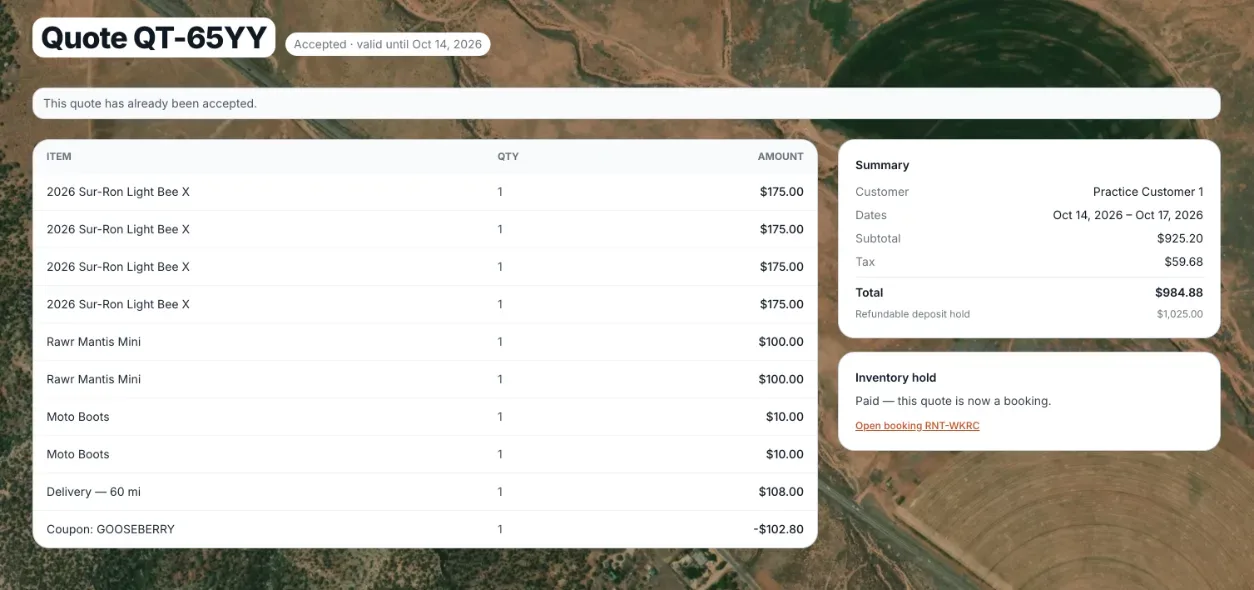 A quote's detail page showing its inventory hold
How it works
1. Build the booking as usual — customer, dates, items, add-ons, delivery, discounts. 2. Generate quote — choose how long to reserve the items, in days and hours. While the hold lasts, nobody else can book that gear. Set 0 to hold nothing. 3. After the hold period — the checkbox next to the hold time decides what happens when it ends. It is ticked by default:
- Remains open — the items are released, but the customer can still accept until pickup if they are still available.
- Expires (unticked) — the quote can only be accepted while the items are held.
4. Email it — tick Email the quote to send the link straight away, or use Send to customer on the quote page later. A quote already sent shows Resend to customer instead. 5. The customer accepts — they open the link, click Accept and continue to payment, and pay on the normal payment page. Once they pay, it is a regular booking.
What the quote shows
- Items at their full price, then each automatic discount (duration, seasonal, time-based, bundle) as its own line, then any coupon.
- Tax, which includes any custom lines you added (delivery, setup, a manual discount). Because those lines are taxed, the quote total equals what the booking will charge.
- If a Renta booking fee applies, its own row, and a bottom line called Total due. The same figure is in the quote email.
Good to know
- Accepting holds the gear for one hour while the customer pays. If the hold had already ended, availability is checked again first. If the gear was booked in the meantime, the customer is asked to contact you and you get a notification.
- A customer who accepts but does not finish paying can reopen the link and click Continue to payment.
- Withdraw on the quote page, or the customer declining, releases the hold straight away.
- The customer pays the quoted price. The booking is not re-priced when they accept.
- Staff with permission to override availability can generate a quote even when an item shows as unavailable.
- Open quotes show brown on your calendars. See Sending a price quote before booking.
Related articles
- Quotes: common questionsQuick answers on sending a quote, the hold time, why Generate quote or Send is greyed out, quote statuses, and what happens when a customer accepts or declines.
- Whether unpaid bookings block your calendarDecide if an unpaid pending booking reserves the item for that customer, or lets someone else book it in the meantime.
Still stuck? Ask the chat.
Was this helpful?