Archiving or deleting a customer record
Archiving hides a customer but keeps their history; deleting permanently removes them and only works if they have no bookings or payments.
Where to find it
Customers → open a customer → Archive or Delete
Archiving marks a customer's record as archived while keeping their full booking history intact. Deleting permanently removes the record, but is only offered if the customer has no bookings and no saved cards.
Where to find it
Customers → open a customer → Archive or Delete Customer
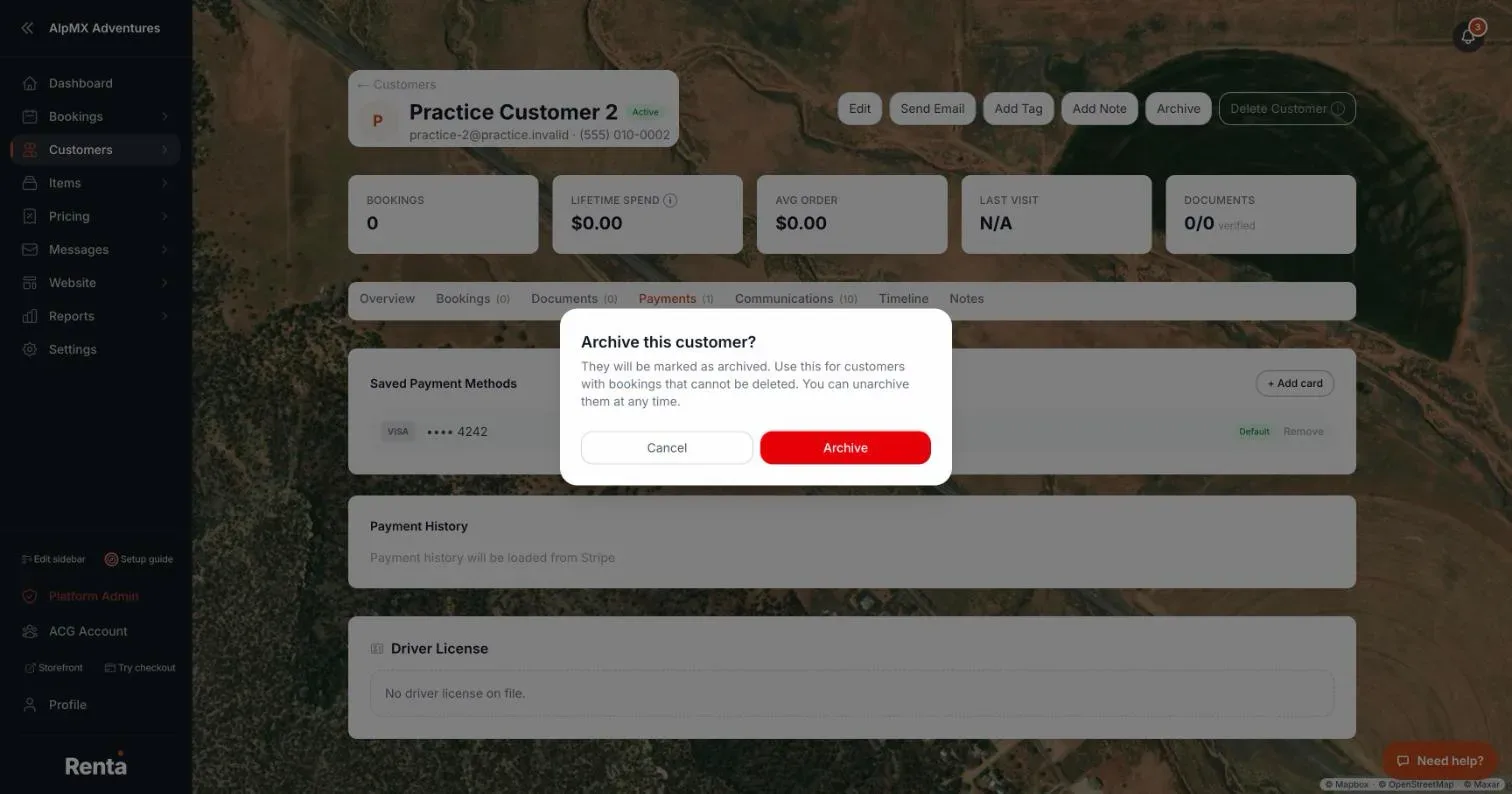 The confirmation dialog for archiving a customer
How it works
- Archive — marks the record archived after a confirmation ("Archive this customer?"). It appears on a customer who has bookings or a saved card, so their history stays intact. The profile then shows the status Archived.
- Unarchive — appears on an archived customer and reverses it.
- Delete Customer — permanently removes the record, after a confirmation ("Delete this customer?"). It only appears for a customer with no bookings and no saved cards. Practice customers show it greyed out ("Practice customers are built in and can't be deleted.").
For a real customer you see Archive or Delete Customer, never both. A practice customer with history shows Archive together with a greyed-out Delete Customer.
Example
A one-time inquiry that never turned into a booking can be deleted outright. A customer who rented from you last summer but hasn't been back should be archived instead — their history stays intact, and you can press Unarchive any time.
Good to know
If Delete Customer isn't there, the customer already has a booking or a saved card, so Renta offers Archive instead. Archived customers stay in your Customers list.
Related articles
- Customer records: common questionsQuick answers on finding, adding, editing, tagging, archiving and deleting customers, what the profile tabs show, saved cards, documents, notes, driver's license numbers and exporting your customer list.
- A customer's full profileContact info, lifetime spend, booking count, and internal tags and notes, all on one page.
- Finding and sorting customersSearch your customer list by name, filter by tag, and sort by spend, bookings, or last visit.
- Emailing one customer directlySend a one-off email to a customer from their profile, with a preview of exactly what will be delivered.
- Storing a customer's ID and documentsUpload a customer's license, ID, passport, insurance, or waiver, and see which ones Stripe has verified.
Still stuck? Ask the chat.
Was this helpful?