Requiring two-factor for your whole team
Force every staff member to set up two-factor authentication, with a grace period to enroll before it's required.
Where to find it
Settings → Security → Require two-factor for everyone card
The Owner can require everyone who signs in to your admin to use an authenticator app. Turning it on does not lock anyone out straight away.
Where to find it
Settings → Security, in the Require two-factor for everyone card.
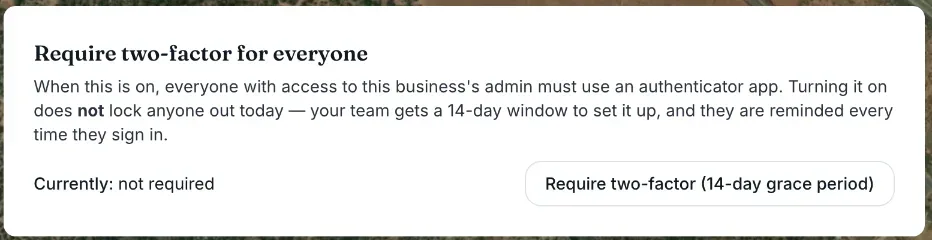 The Team MFA policy section with the Require two-factor auth setting
How it works
- Currently — shows "not required", or "required" with the date nobody is stopped until during the grace window.
- Require two-factor (14-day grace period) — the Owner's button to switch it on. Renta confirms "Two-factor is now required. Your team has 14 days to set it up before anyone is stopped."
- Stop requiring two-factor — the same button once it is on. Renta confirms "Two-factor is no longer required for your team."
- Only the Owner can change it. Everyone else sees "Only the account owner can change this."
What your team sees
During the 14 days, people who have not set up an authenticator see a banner each time they sign in: "Two-factor login becomes required for this business on [date]" with a Set it up now link. When the 14 days are over, anyone still without one sees a Start setup screen they cannot get past until they finish (it has a Sign out link). People who are set up are asked for their 6-digit code.
Example
You switch it on today. Your two Staff members set up their phones during the week. On day 15 a new hire who never did it is stopped at the Start setup screen until they scan the code.
Good to know
- The 14 days are fixed; there is no setting for a different length.
- Each person can set up their own authenticator any time, even before you require it (see Setting up two-factor login).
- For more quick answers see Common questions: two-factor login and security.
Related articles
- Backup codes if you lose your authenticatorOne-time backup codes that get you back into your account if your two-factor authenticator app is unavailable.
- What Renta support can and cannot do in your accountRenta support can open your account to help you set it up or fix a problem. Its changes are recorded, it can do almost everything you can, and it can never take payments or change your billing.
- I got blocked: what Renta's bot check does and what to tryRenta runs an invisible bot check (Vercel BotID) on saves in your admin, the demo entry and the AI assistant approval page. If it cannot tell you are a person, you see "Please reload the page". Here is what to try.
- Getting notified when a rental is overdueAlert your team, and optionally the customer, once a booking passes its return time by a grace period you set.
- Common questions: refundsQuick answers on sending money back to a customer, why a refund has not gone out yet, how much you can refund, what happens to Renta's fee, gift cards and cash, and the difference between refunding and releasing a deposit.
Still stuck? Ask the chat.
Was this helpful?